Example of smalltalk-dev-plugin: To-do list built with Spec2 framework
# smalltalk-dev-plugin: To-do list built with Spec2 framework This repository showcases a project created by [smalltalk-dev-plugin](https://github.com/mumez/smalltalk-dev-plugin) — a Claude Code extension for Pharo Smalltalk development. Even interactive GUI programming is possible with this plugin. First, a simple to-do list using the Spec2 framework was requested. After the initial implementation, a filter field was requested as an additional feature, and `/st-buddy` revised the implementation accordingly. Since `/st-buddy` can read Pharo screenshots, it understands the to-do list's appearance and behavior directly from the running application. Later, a bug was found — the Remove button was not being enabled even when a checked item was selected. The session was resumed for debugging, and `/st-buddy` successfully fixed the issue. You can watch the actual development process in the video below. [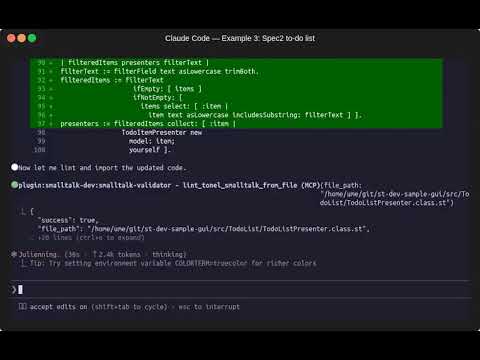](https://youtu.be/9jinoL4bNDs) ## Prompt The following prompt was given to `/st-buddy`: ``` /st-buddy I want to make a simple to-do list using the Spec2 framework. Include a checkbox for each item, plus an input field with Add/Remove buttons at the bottom. Only checked items can be removed. Start developing. ``` After the initial implementation, `/st-buddy` asked: ``` Would you like me to add any additional features, such as persistence, editing items, or keyboard shortcuts? ``` So the following second request was made: ``` Add a filter field for filtering items. ``` `/st-buddy` revised the implementation and confirmed that the filter field was added by reopening the to-do list window. At this stage, a bug was discovered: the Remove button was not being enabled when a checked item was selected. The session was resumed with the following debugging request: ``` The remove button is not active even if the checked item is selected. ``` `/st-buddy` successfully fixed the bug after a few iterations. ## Generated Source The source code is in the [src](./src) directory. The `TodoList` package contains three classes: - **TodoItem** — A simple model representing a to-do item with `text` and `checked` state. - **TodoItemPresenter** — A Spec2 presenter that displays a single to-do item as a checkbox. It wraps a `TodoItem` model and notifies the parent when the check state changes. - **TodoListPresenter** — The main Spec2 presenter that manages the entire to-do list UI. It provides an item list with checkboxes, a text input with Add/Remove buttons, and a filter field for searching items. Open it with `TodoListPresenter open`. ## Screenshots | Filtering items | Remove button enabled for checked items | |:-:|:-:| |  |  | ## Try It in Pharo To try the generated source code in a live Pharo environment, load the `TodoList` project using Metacello: ```smalltalk Metacello new baseline: 'TodoList'; repository: 'github://mumez/smalltalk-dev-plugin-gui-example:loader/src'; load. ``` > **Note:** The full project structure (Baseline class and project metadata) was not part of the original generated output — it was added afterward to enable loading via Metacello. The `loader` branch is specified for this purpose. Then open the TodoList from a Playground: ```smalltalk TodoListPresenter open. ``` ## License [MIT](LICENSE)