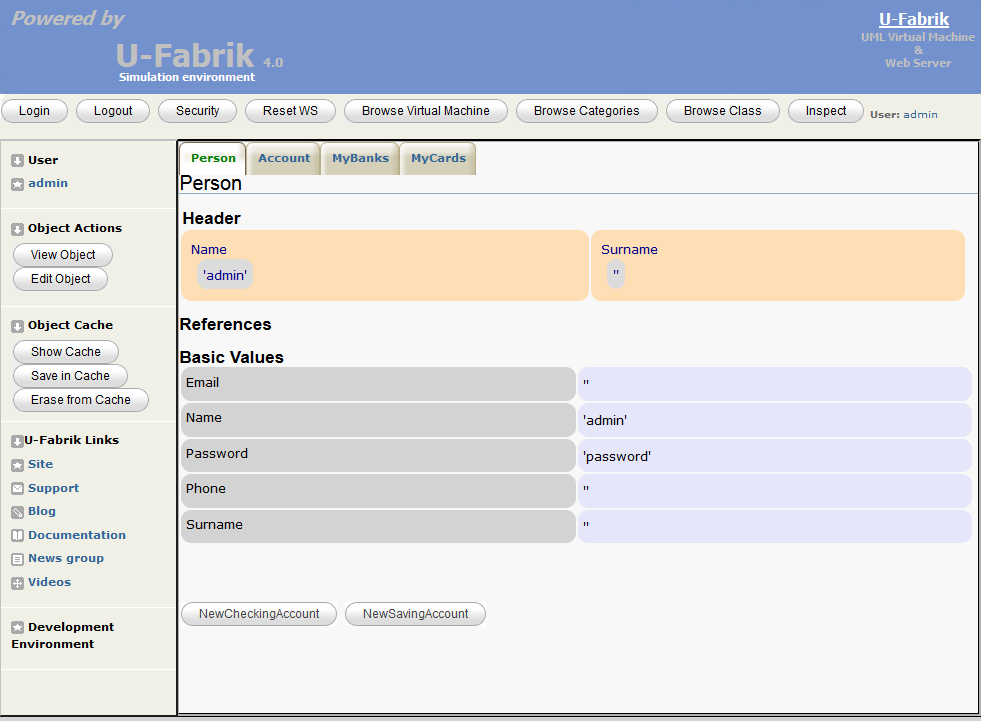
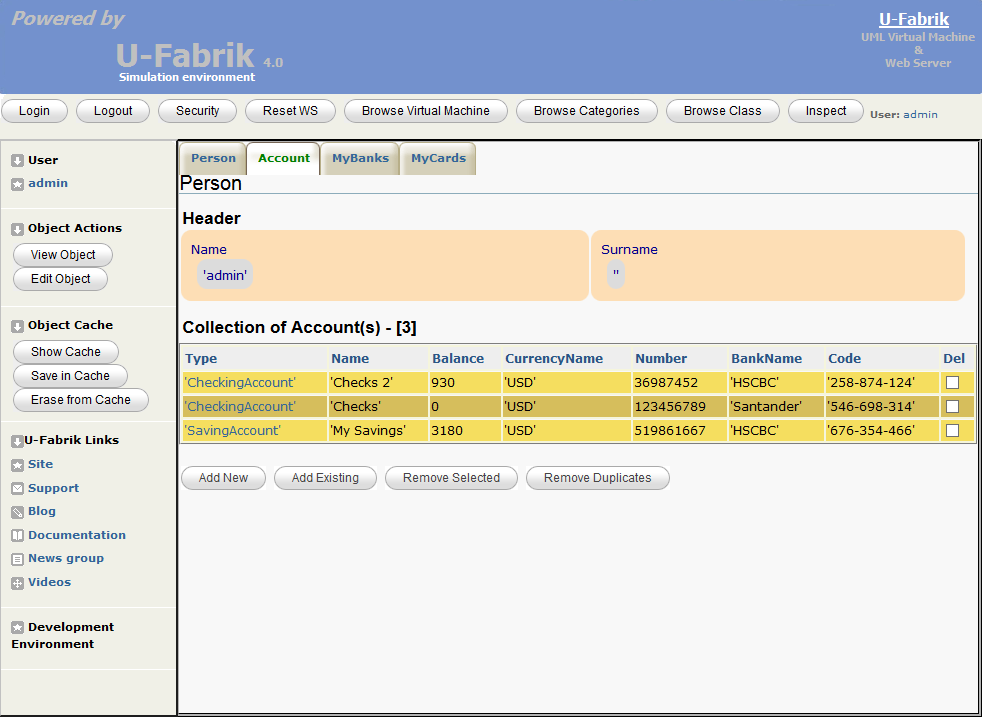
U-Fabrik is a Simulation Environment for UML Models (an AST interpreter + Dev Env)
# U-Fabrik System Shell 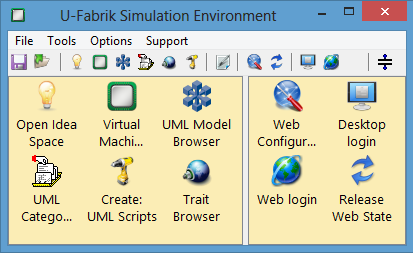 **U-Fabrik** is a **UML Simulation Environment** inspired in [Dolphin](https://github.com/dolphinsmalltalk/Dolphin). What is **U-Fabrik**? **U-Fabrik** is a tool that significantly extends the capabilities of the regular UML modeling tool such as Visual Paradigm®. **UML** modeling tool build **UML models** and capture a static view (diagrams) of a system in order to understand the domain and define a solution. To understand big systems from a static view is very difficult and make the design proper to misunderstanding and errors. **U-Fabrik** provides a dynamic view of an **UML Model**, simulating an entire **UML model** with desktop and web prototyping. The use of **U-Fabrik** simulation and prototyping capabilities in any stage of software development it makes the domain model much reliable, enhance communication capabilities between project’s actors, provide ways to detect early design mistakes, the documentation generation is much more accurate and has others benefit derived from systems simulation. Usually a **XMI 2.1** file version is exported from your preferred **UML case tool** (such as Enterprise Architect®, Visual Paradigm®, and so on) and imported into **U-Fabrik** where the simulation and prototyping begins. New functionalities can be added on the fly using **U-Fabrik Simulation** tools: * Idea Space * Virtual Machine Browser * UML Model Browser * UML Category Browser * UML Scripts * Trait Browser _Note:_<br> _Icons are Dolphin icons and from http://www.iconarchive.com/_ ### Development Installation To install U-Fabrik in Dolphin 7.1 follow these steps: 1. Install a Github client such as [SourceTree](http://www.sourcetreeapp.com/) or [Git Bash](https://git-scm.com/download/win). 2. Clone [Dolphin](https://github.com/brunobuzzi/Dolphin) to Documents\Dolphin. 3. Run Documents\Dolphin\BootPRO.cmd to build the DPRO image. 4. Clone [U-Fabrik](https://github.com/brunobuzzi/U-Fabrik) to Documents\Dolphin\U-Fabrik. 5. Run Documents\Dolphin\U-Fabrik\Boot_U-Fabrik.cmd to build the U-Fabrik image. 6. Evaluate: UFabrikManagerShell show **By Default a Bank example is installed in the Virtual Machine** <br> (diagram imported from **Visual Paradigm 15.1**): 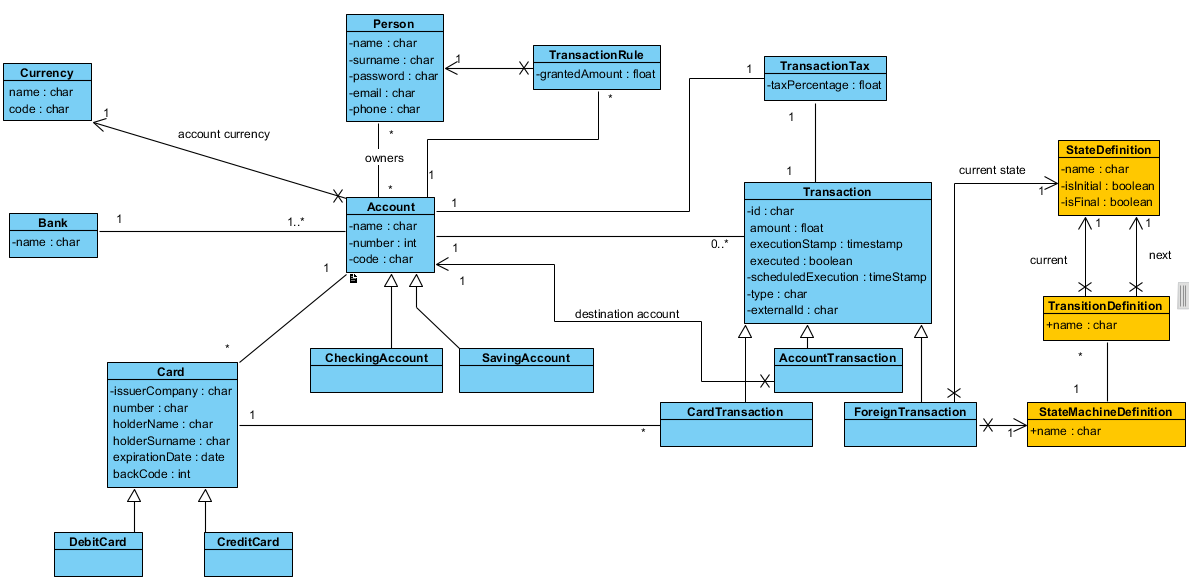 **Automatically Generated Web Application after XMI file installation** <br><br> 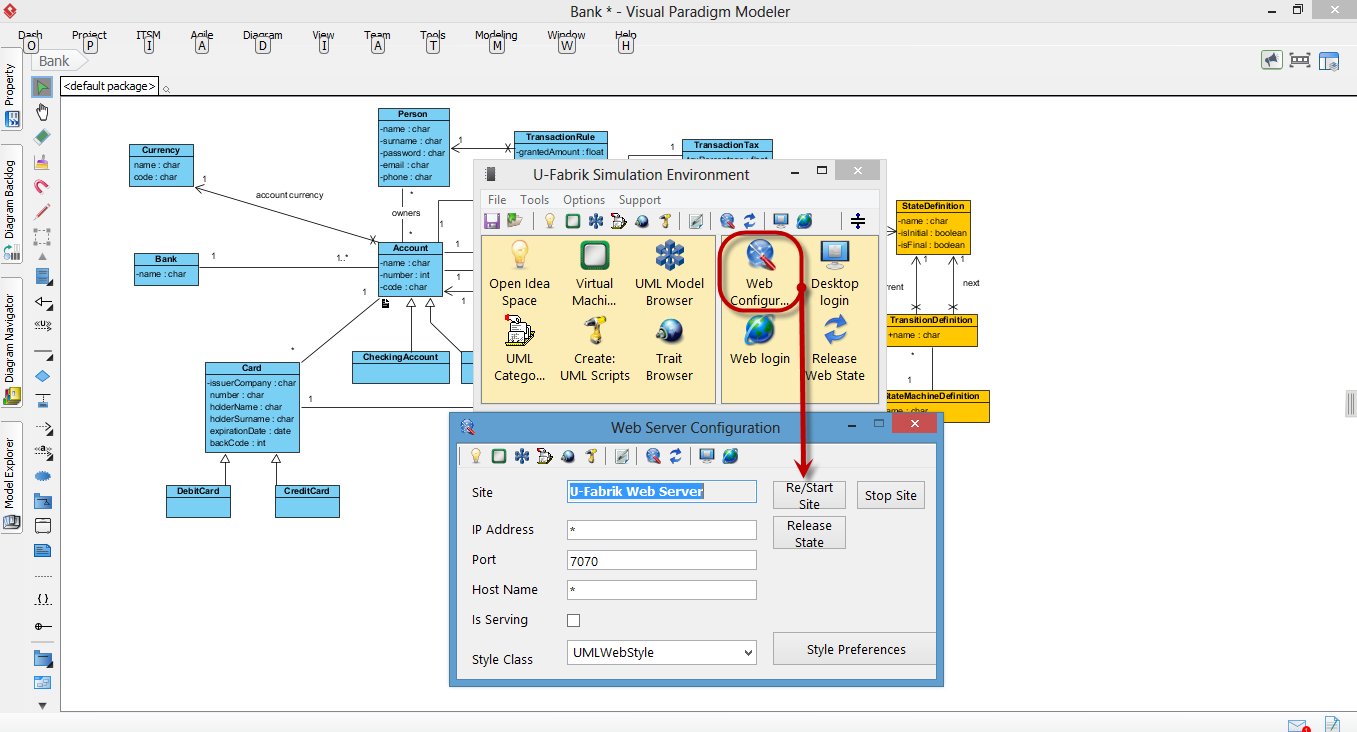 <br>URL: http://localhost:7070/admin.html?view=login<br> User: admin<br> Password: password<br>