Workflow engine written in Pharo
# NewWave
Workflow engine written in Pharo. Still in early development.
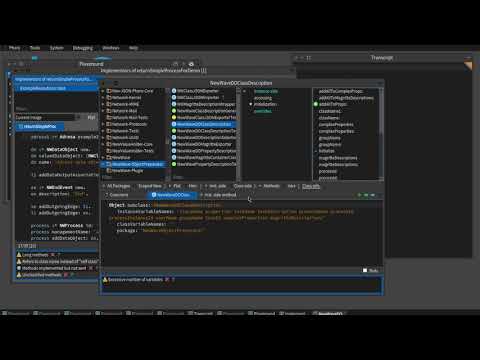
## Video tutorial
[](http://www.youtube.com/watch?v=o3mmY-ehgFE)
## First Example
In order to run the engine, for the minimal execution you need create Start and End, with the Sequence connecting them.
```smalltalk
start := NWStartEvent new.
start description: 'StartEvent'.
end := NWEndEvent new.
end description: 'End Event ee'.
start addOutgoingEdge: end.
process := NWProcess id: '1' name: 'process1' initialFlowElement: start.
engine := WaveEngine new.
engine addProcess: process name: 'process1' .
engine startProcess: 'process1'.
```
NewWave now supports multiple process execution. ProcessHandler is in charge of processes and it is created when process is sent to the engine (addProcess:). WaveExecutor is the executor for the process, and it needs the node from which will start executing. In the example initialNode is named `start`. One process can have multiple executors, one is main and the others are spawned when required (parallel split for example).
We run the engine with `engine startProcess: 'processname'.`
NewWave also supports execution with Exclusive and Parallel gateways, with different types of tasks.
## Tasks and Exclusive Gateway
You can customize the type of task you want to perform by subclassing one of the BaseTask, ScriptTask or CustomTask.
For example we want our task to generate a number between and 1 and 10. It is enough to subclass BaseTask, and to redefine the value method.
```smalltalk
NWBaseTask subclass: #MyTask
instanceVariableNames: ''
classVariableNames: ''
package: 'NewWave-Model'
```
```smalltalk
MyTask >> value
^ 10 atRandom
```
Now we want to create an execution using the MyTask and Exclusive gateway.
```smalltalk
se := NWStartEvent new.
se description: 'Start '.
t1 := MyTask new.
t1 description: 'Generate random number'.
t2 := NWBaseTask new.
t2 description: 'B'.
t2 value: 'Super Cool'.
t3 := NWBaseTask new.
t3 description: 'C'.
t3 value: 'Cool'.
ee := NWEndEvent new.
ee description: 'End'.
exclusive := NWExclusive new.
exclusive description: 'Exclusive'.
se addOutgoingEdge: t1.
t1 addOutgoingEdge: exclusive.
exclusive addOutgoingEdge: t2 withCondition: [ :x | x >= 5 ].
exclusive addOutgoingEdge: t3 withCondition: [ :x | x < 5 ].
t2 addOutgoingEdge: ee.
t3 addOutgoingEdge: ee.
process := NWProcess id: '1' name: 'process1' initialFlowElement: se.
engine := WaveEngine new.
engine addProcess: process name: 'process1' .
engine startProcess: 'process1'.
```
Descriptions are a way to distinguish different elements for printing, debugging, visualizing, etc.
Exclusive gateway creates a transition to the next element with `addOutgoingEdge: t2 withCondition: [ :x | x >= 5 ]`. So `t2` is the next element to execute if block returns true. `x` is the result of executing ```MyTask >> value```.
Output will look like
```smalltalk
8
Super Cool
3
Cool
```
Because this is simple example, this type of task can be replaced with ScriptTask. So in the previous example we replace MyTask with:
```smalltalk
t1 := NWScriptTask new.
t1 description: 'Generate random number'.
t1 script: [ 10 atRandom ].
```
`ScriptTask >> script: ` expects a block to be evaluated during execution. And we get the exact same result!
## Parallel Gateway
```smalltalk
se := NWStartEvent new.
se description: 'Start'.
t1 := NWScriptTask new.
t1 description: 'A'.
t1 script: [ 10 timesRepeat: [ 10 milliSeconds wait. 'Task1 executed' logCr. ]].
t2 := NWScriptTask new.
t2 description: 'B'.
t2 script: [ 20 timesRepeat: [ 10 milliSeconds wait. 'Task2 executed' logCr. ]].
ee := NWEndEvent new.
ee description: 'End'.
parallel := NWParallel new.
parallel description: 'Parallel'.
join := NWParallelJoin new.
join description: 'Main join'.
se addOutgoingEdge: parallel.
parallel addOutgoingEdge: t1.
parallel addOutgoingEdge: t2.
t1 addOutgoingEdge: join.
t2 addOutgoingEdge: join.
join addOutgoingEdge: ee.
process := NWProcess id: '1' name: 'process1' initialFlowElement: se.
engine := WaveEngine new.
engine addProcess: process name: 'process1' .
engine startProcess: 'process1'.
```
Output will look something like:
```
'Task1 executed'
'Task2 executed'
'Task1 executed'
'Task2 executed'
'Task1 executed'
'Task2 executed'
'Task1 executed'
'Task2 executed'
'Task1 executed'
'Task2 executed'
'Task1 executed'
'Task2 executed'
'Task1 executed'
'Task2 executed'
'Task1 executed'
'Task2 executed'
'Task1 executed'
'Task2 executed'
'Task1 executed'
10
'Executor Not completed'
'Task2 executed'
'Task2 executed'
'Task2 executed'
'Task2 executed'
'Task2 executed'
'Task2 executed'
'Task2 executed'
'Task2 executed'
'Task2 executed'
'Task2 executed'
'Task2 executed'
20
'Executor Completed'
```
After starting the execution, both task t1 and t2 will start executing. Task t1 will complete first and the message `'Executor not completed'` will be shown when the first branch completes and reaches the join. Join will wait for all the incoming branches to complete. At the time Task2 wasn't completed so it will execute 10 more times, 20 in total when the message `'Executor completed'` shows, and the whole execution completes.
Additional examples are in the `ExampleExecutions` class.
We execute example by calling
```smalltalk
| e |
e := ExampleExecutions new.
e startExample1.
```
Output of the examples is in the `Transcript` for now.
## Installation
You can load NewWave now using metacello as follows:
```smalltalk
Metacello new
baseline: #NewWave;
repository: 'github://skaplar/NewWave:master';
onConflictUseIncoming;
load.
```
# NewWaveFieldUserTask
Web Application for Workflow engine written in Pharo
This application should represent a web app that is an extention to a NewWave framework.
This app should be started in Playground with command:
FUApplicationRootComponent initialize.
FUApplication createDemo.
# Additional examples
1. https://1drv.ms/v/s!AtyGLaEfarFQgoca6Ni6OZor4ldycw?e=51RyYK (https://www.stakeholdermap.com/bpm/posting-job-notification-business-process-model.html)
2. https://1drv.ms/v/s!AtyGLaEfarFQgocceSePKwfDe7o-mw?e=WomYXC (https://www.stakeholdermap.com/bpm/business-process-model-payment-process.html)