Based on Scratch implementation for Pharo Smalltalk.
# Squelch a porting of "Based on Scratch" to Pharo Smalltalk (only for 4.0). "Based on Scratch"のPharo Smalltalk移植版です。今のところ対応しているのはPharo4.0のみです。 移植途中なので、完全なものではなく実験・研究用と考えてください。 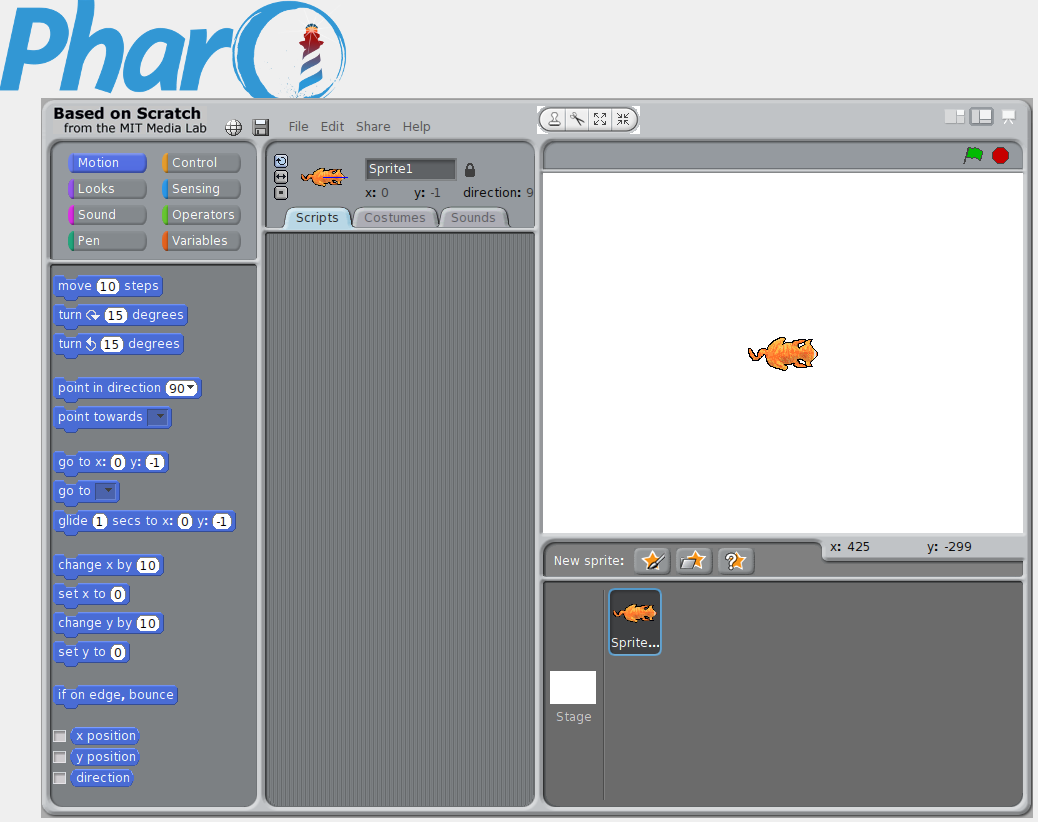 ## License Scratch Source Code Licenseに従います。 https://wiki.scratch.mit.edu/wiki/Scratch_Source_Code_License ## Details これは以下のサイトから入手できる ScratchSource1.4.zip を Pharo に対応させたものです。 https://wiki.scratch.mit.edu/wiki/Scratch_1.4_Source_Code ## Preparation ### Pharo4.0(VM+イメージ)の準備 PharoのサイトからPharo4.0(VM+イメージ)をダウンロードして、適当なフォルダに展開してください。 Linux(おそらくMacも)であれば以下のコマンドで入手できます。 ``` mkdir squelch cd squelch wget -O- get.pharo.org/40+vm | bash ``` ### ScratchSkinの準備 以下のサイトからScratch UI "Skin"をクリックしてScratchSkin1.4.zipをダウンロードしてPharo4.0 をインストールしたフォルダに展開してください。(ScratchSkinというフォルダに画像ファイルが展開されていればOKです) または、以下のコマンドで入手してください。 ``` wget http://download.scratch.mit.edu/source-code/ScratchSkin1.4.zip unzip -x ScratchSkin1.4 ``` ### Pop.wavのダウンロード 以下のサイトから Pop.wav をダウンロードし、ScratchSkin フォルダに格納してください。 https://github.com/LLK/Scratch_1.4/blob/master/Media/Sounds/Effects/Pop.wav または、以下のコマンドで入手してください。 ``` wget -P ScratchSkin https://github.com/LLK/Scratch_1.4/raw/master/Media/Sounds/Effects/Pop.wav ``` ### GitFileTree のインストール Pharoを起動してWorldメニューからTools-Configuration Browserを開いてください。 一覧からGitFileTreeを選んで、Install Stable Versionを押してください。 ``` ./pharo-ui Pharo.image ``` ## Install PharoでPlaygroundを開き、以下を入力したあと Do it all and go ボタンを押してください。 ``` Metacello new baseline: 'Squelch'; repository: 'github://EiichiroIto/Squelch/repository'; load. ``` ## Start WorldメニューからSquelchを選ぶと起動します。 ## Bugs - 既にあるブロックに対してForeverなどのC型ブロックを後からはめ込もうとするとおかしくなる。 - Linux版では音がでない。