A windows switcher with a previewer for Pharo.
# Mirage [](https://travis-ci.org/juliendelplanque/Mirage)
# Install
## Stable version
To install the stable version, you can simply use the **Catalog browser** and search for 'WindowsPreviewer'
or evaluate the following code snippet:
### Pharo 6.1
~~~
Metacello new
repository: 'github://JulienDelplanque/Mirage:v1.0.0/src';
baseline: 'Mirage';
load
~~~
### Pharo 7.x
~~~
Metacello new
repository: 'github://JulienDelplanque/Mirage:v2.1.0/src';
baseline: 'Mirage';
load
~~~
## Development version (Pharo 8.0)
Simply evaluate the following code snippet:
~~~
Metacello new
repository: 'github://JulienDelplanque/Mirage:dev/src';
baseline: 'Mirage';
load
~~~
## Version management
This project use semantic versionning to define the releases. This mean that each stable release of the project will get associate a version number of the form `vX.Y.Z`.
- **X** define the major version number
- **Y** define the minor version number
- **Z** define the patch version number
When a release contains only bug fixes, the patch number increase. When the release contains new features backward compatibles, the minor version increase. When the release contains breaking changes, the major version increase.
Thus, it should be safe to depend on a fixed major version and moving minor version of this project.
# Setup
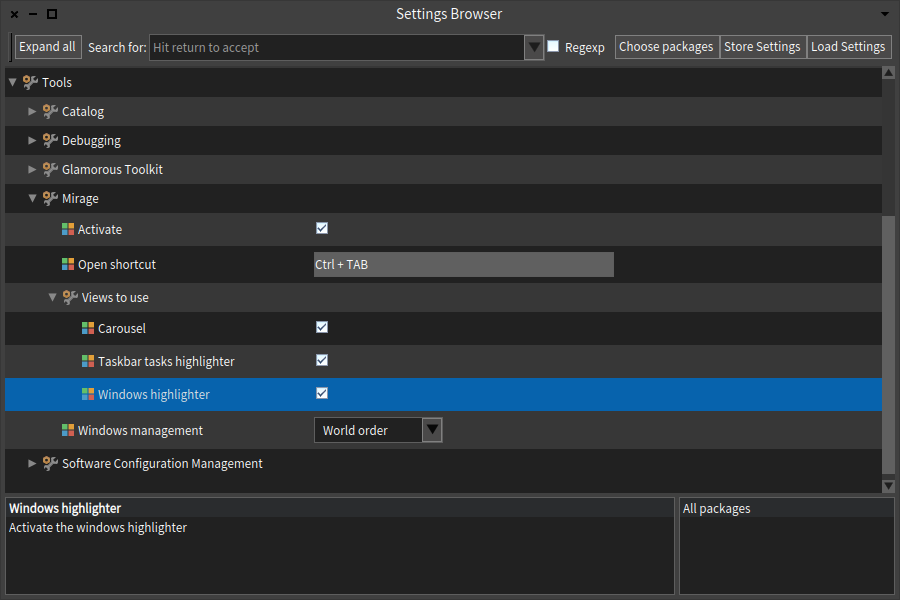
Go to the 'Settings browser' and check the 'Activate' button in 'Mirage' subgroup of 'Tools' group.
Then, you can choose the view you want to use by checking the buttons corresponding.
- If the default shortcut to open the previewer does not fit with you, you can change it from settings as well.
- It is also possible to change the order used to display windows in the previewer by selecting one the method in "Windows management" setting.
# How to use
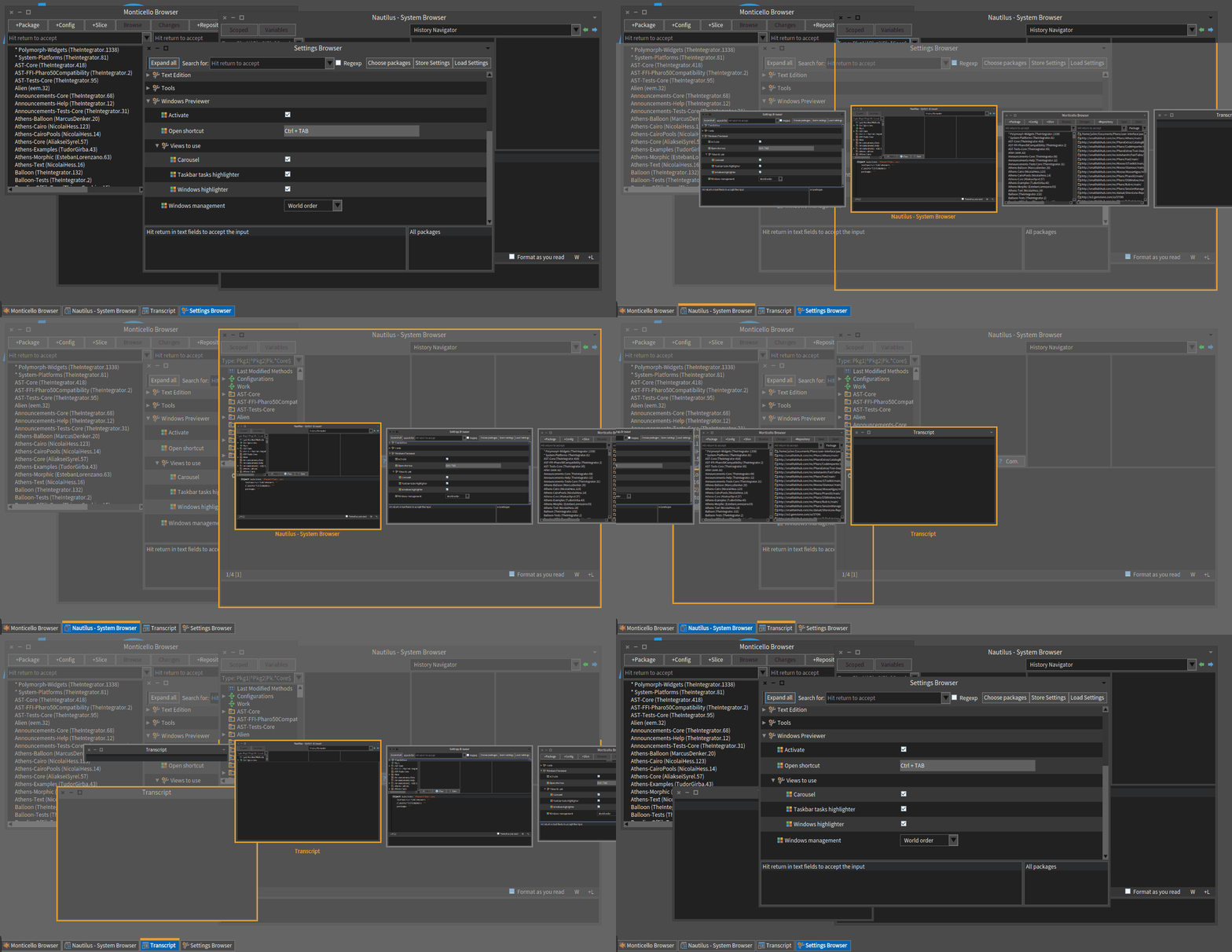
Once you activated **Mirage** in the 'Settings browser' hit 'Ctrl+Tab' to open the previewer.
You can now use left/right arrow to choose a window and hit the space key to open it.
| Key | Purpose |
|:---------------------|:--------------------------------------------------------------------------|
| (Ctrl/Shift)+Tab | Open the previewer (Ctrl for Linux, Shift for Windows and Mac OS). |
| Left arrow | Select window on the left of the current window. |
| Right arrow/Tab | Select the window on the right of the current window. |
| Space/Enter | Set the window selected in the previewer on top. |
| Esc | Quit the windows previewer without changing the current window. |
# Developers documentation
The [wiki](https://github.com/juliendelplanque/Mirage/wiki) holds all the documentation needed to contribute to the project.
If you want to contribute to this project, please follow the [contribution guidelines](https://github.com/juliendelplanque/Mirage/wiki/How-to-contribute).
Here are some useful links:
- [Creating your own view](https://github.com/juliendelplanque/Mirage/wiki/How-to-extend-WP#creating-you-own-view)
- [Add a windows ordering method](https://github.com/juliendelplanque/Mirage/wiki/How-to-extend-WP#add-a-windows-ordering-method)